

Why Updating Your Profile After a Promotion Matters
When you achieve a promotion or major career milestone, keeping your professional profile outdated sends the wrong signal. Updating it helps:
- Showcase real career progression. Adding a new role under your current organization highlights growth clearly and strengthens your professional narrative.
- Build visibility and credibility. A clear, updated profile signals ambition, reliability, and readiness for new challenges.
- Strengthen your personal brand. Profiles that accurately reflect achievements demonstrate professionalism and attract future opportunities.
When — and When Not — to Announce
Consider timing carefully before making your milestone public:
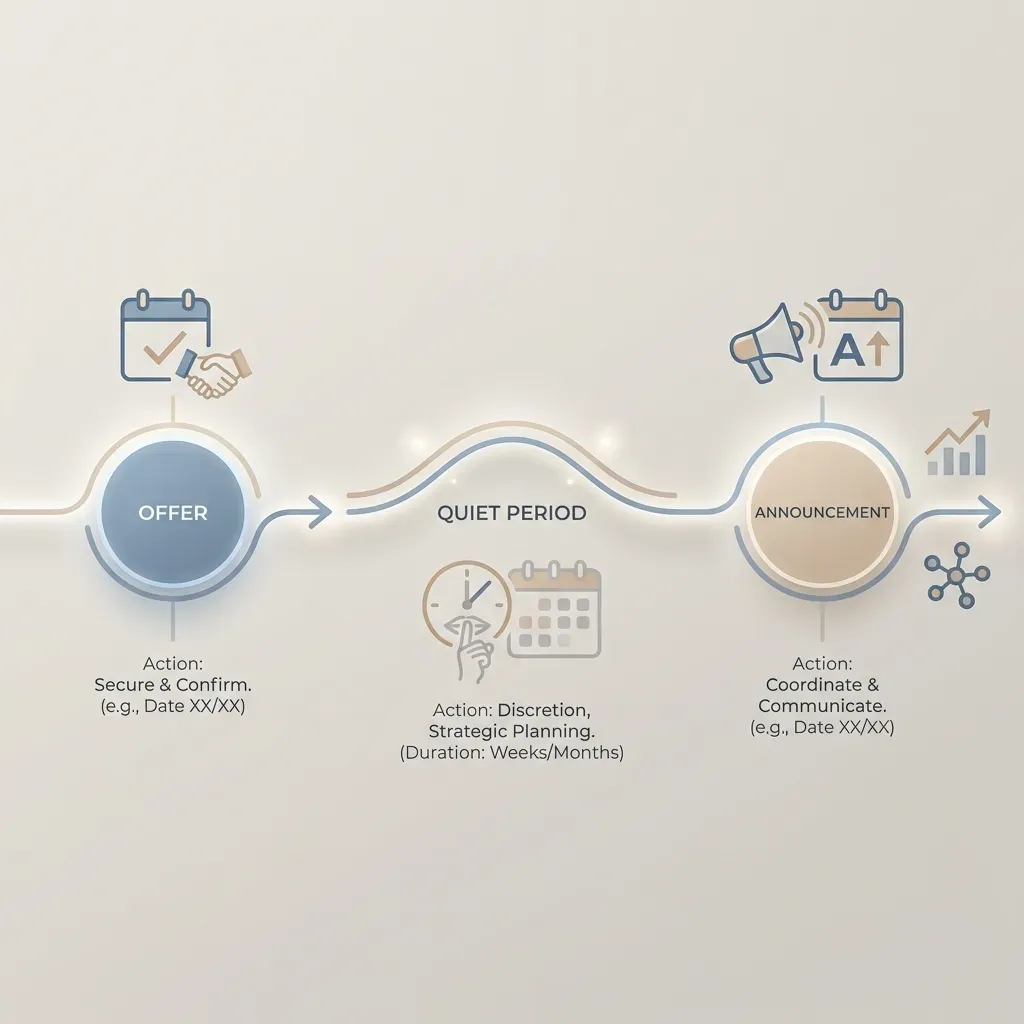
- Wait for official confirmation. Only update your profile once the promotion or milestone is finalized internally.
- Allow a settling period. Wait a short period before posting publicly — this gives you clarity about your new responsibilities and achievements.
- Avoid over-sharing minor updates. Small title tweaks or minor role changes do not require public announcements.
- Choose optimal timing. Early weekdays often see better engagement for professional announcements.
What to Update — Key Sections on Your Profile
After a promotion, refresh these parts of your profile:
- Experience: Add the new role as a separate entry under the same organization, maintaining a clear progression timeline.
- Headline / Title: Frame your title to reflect both role and core value — e.g., “Product Manager | Driving Data-Driven Solutions.”
- About / Summary: Update to showcase growth, new responsibilities, and career story. Include achievements and future objectives.
- Skills: Reprioritize or add skills relevant to your new role, both technical and leadership-oriented.
- Featured / Media (optional): Highlight notable projects, presentations, or certificates that showcase tangible achievements.
Crafting a Thoughtful Promotion Announcement
If you decide to share your milestone publicly, structure the message carefully:
What to Include
- New role/title: Clearly state the promotion or milestone.
- Reflection on the past: Briefly mention learnings or achievements in your previous role.
- Gratitude: Acknowledge mentors, peers, or team support.
- Achievements or measurable impact: Include concrete outcomes if possible — e.g., “led a project that improved efficiency by 25%.”
- Forward-looking statement: Highlight what excites you in the new role and how you plan to contribute.
What to Avoid
- Overly generic posts: avoid “I got promoted!” without context.
- Bragging about personal gain: focus on contributions and growth.
- Cluttered or overly long messages: keep it concise, professional, and focused.
After Posting — Maintain Momentum
- Pin or highlight the post on your profile or professional page to maintain visibility.
- Ensure skills, summary, and role responsibilities align with your new milestone.
- Continue sharing meaningful updates about projects, certifications, or achievements to reinforce your career trajectory.
Conclusion
Updating your professional profile after a promotion or career milestone is more than an administrative step — it’s a strategic move. It showcases your growth, signals readiness for new challenges, and strengthens your personal brand.
At Exibel, we empower professionals at every stage — from fresh graduates to experienced career changers — to manage their profiles, highlight achievements, and share milestones thoughtfully. Updating your profile the right way ensures your career story is compelling, credible, and visible to the right people.